$1 Donations make us growth

Tuesday, March 15, 2011

iPhone 5 to Have Two SIM Cards for Dual Phone Lines?

From the same website that brought us the iPhone 5 renderings, comes more speculation on Apple’s new iPhone. The site, iDealsChina, is a chinese parts reseller. They don’t have a perfect track record, but they did correctly predict iPhone 3G and iPod 4G design changes.
Their latest prediction is that the iPhone 5 will hold two SIM cards. They claim it will be to support dual phone lines, but I’ve got a better guess. The iPhone 5 is rumored to include aQualcomm Gobi cellular and data chipset. Why does that sound familar?
It’s the same chipset used in the Verizon iPhone 4, which supports both GSM and CDMA connections. What’s so special about this and the possibility of dual lines? Besides the obvious of being able to combine work and personal lines into one device, you could have dual carriers.
Imagine having service with Verizon and AT&T, you’d almost always have coverage. You could use AT&T for the faster data speeds, and switch over to Verizon if the service got spotty. What if the phone switched seamlessly between the 2 carriers based on coverage?
All fantasies aside, these rumors bode well for Verizon customers, whose eligibility for theiPhone 5 is still unknown. It would definitely make sense for Apple to release their next iPhone on multiple carriers, but only time will tell what the Cupertino company has in store.
Does anyone think dual lines sounds like a good idea? Is 4G more important? 


Via By: iphonedownloadblog.com

Localscope: One of The Best Location/Navigation Apps for the iPhone [Review and Giveaway]

There’s a plethora of location-based apps to choose from in the App Store. Check-in services like Foursquare and Gowalla are popular, and there are some pretty niffty location-based search apps like Siri Assistant and Where.
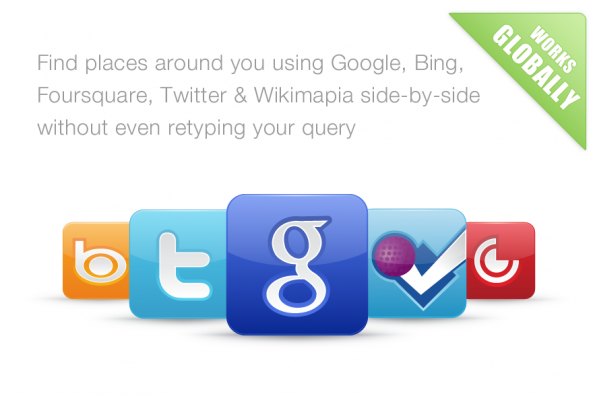
Localscope, by Cynapse, is a search/navigation app that encompasses the features of most location-based tools in the App Store. By using the backend of services like Google and Twitter, Localscope allows for a more full and encompassing experience of searching for locations around you…
If you’re like me, you have probably tried multiple location-based search tools on the iPhone. Most people end up defaulting to a general Google search for finding directions, a phone number, or the address of a desired location.
Google is nice for finding quick results in Maps, but what about social platforms that use location awareness like Foursquare and Twitter? Surely there’s valuable infomation to be gleaned from that?
Social data offers a whole other level of value to a location service, and vice versa. What if there was an app that allowed you to see the objective location data from Google or Bing, but also allowed you to see what your friends are saying about spots in town?

Localscope unites the best of the location-based search platforms inside a beautifully designed interface. Instead of relying on it’s own backend for search, it pulls from 5 popular location services.
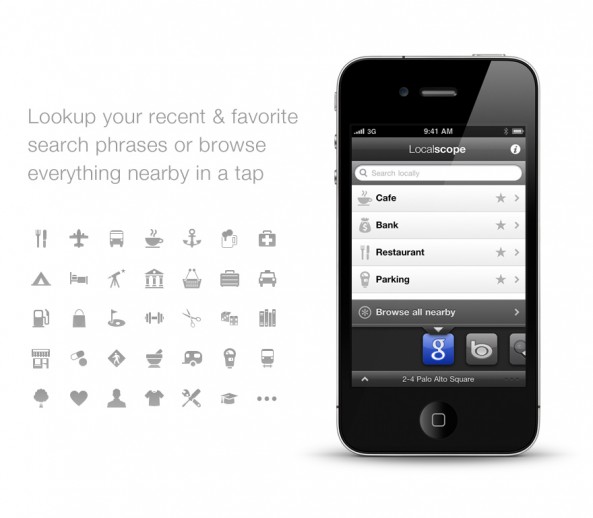
When you open Localscope, you can search for any desired location around you and toggle through the different services to search in. Services like Google and Bing are perfect for finding a location, and services like Foursquare make it easy to see what people are actually saying about that place. You can also narrow your search results by searching in the pre-listed location categories that Localscope provides.
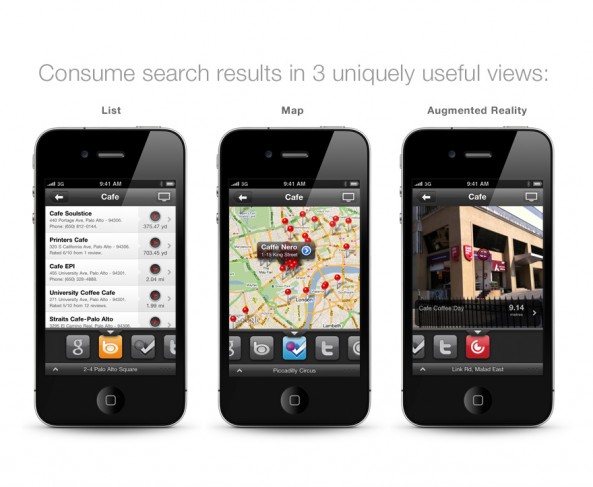
Once you find the location you’re looking for, Localscope offers three different methods for getting you where you need to go. The classic list view and map view are available, and you can easily open the address you’re looking for in Google Maps if you prefer that. Localscope goes the extra mile and allows you to search through augmented reality like Yelp and other similar apps.


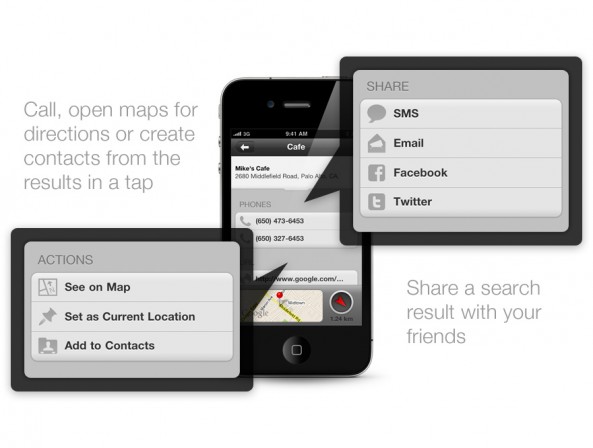
Localscope has the best sharing and action options that I’ve ever seen in a location-based search app. Not only can you open locations in the iPhone’s Google Maps app, you can pin locations within Localscope and assign locations to contacts in your address book.
SMS, Email, Facebook and Twitter are all options for sharing locations in Localscope. The sharing works great, and it ties in beautifully with the other social elements of the app.
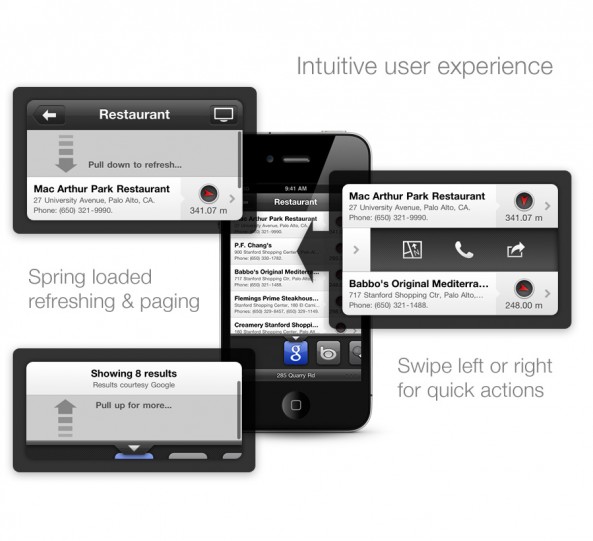
Localscope is one of the most well designed apps you’ll find in the location/navigation corner of the App Store. Unlike some location apps, you’ll understand how to use Localscope right away. The app combines popular iOS design elements like “pull to refresh,” and the “swipe for quick actions” feature of most Twitter apps.
I took Localscope for a test run this past weekend. I was going to a sushi bar downtown that I’d never been to before. Localscope found the restaurant I was looking for, and it was a breeze to send the location to one of my friends through SMS. I used the map feature to get to the place I needed to go, and I parked a few blocks away to see how well the augmented reality worked. Overall, the app worked great.
The features and design of Localscope make it one of the best location/navigation offerings in the App Store. It’s definitely one of my favorites. I liked it so much that it now resides on page one of my iPhone’s home screen.
Localscope is definitely worth your attention. It’s available for $1.99 in the App Store.
The people behind Localscope have been kind enough to give us four free copies to give away to iDB readers. If you’d like a free copy of Localscope, be one of the first four to comment on this review. We’ll be sending the codes through email to the four winners later today.
What do you think of Localscope? Are there any similar apps that you recommend?



Apple Highlights Best AirPlay Apps in App Store

AirPlay is not just limited to App Store developers either; authors of web-based applications for the iPhone will now be able to stream video to the end user’s Apple TV. App makers have been pleading with Apple for access to AirPlay APIs (Application Programming Interface) since the feature was introduced in iOS 4.2. But what makes AirPlay so exciting for develepors?
Allowing 3rd party apps to stream audio and video from your iPhone opens up all kinds of possibilities. For instance, gameplay and other aspects that are interactive with your big screen, like cut scenes and replays. If your HDTV is hooked up to a surround sound system, streaming audio from an app via AirPlay would make games like Infinity Blade a blast! (Well, more than it already is.)
Apple seems to be excited about the possibilities too, as they’ve recently made a special section in the App Store featuring AirPlay-enabled apps. These apps range from Discovery Channel HD to FitnessClass. You can actually stream workout videos from the iPhone to your TV!
It’s important to note that the third party support for AirPlay is only on 4.3, which, if you arejailbroken, you most likely aren’t using. There are, however, jailbroken applications likeAirVideoEnabler that will allow AirPlay streaming from virtually any app.
Has anyone tried these AirPlay apps out? What are some more possibilities for AirPlay in future apps?

Angry Birds Seasons: St. Patrick’s Day Edition

It’s no secret that we are Angry Birds fans here at iDB. But then again who isn’t? With millions of downloads across multiple platforms, this game will go down in history as the ultimate time waster. Well in case you’ve missed it, the latest iteration in Rovio’s smash hit series is here.
The lovable cast of pigs get a total leprechaun makeover in the newest version of Angry Birds Seasons. And with St. Patrick’s Day just around the corner, this application is the perfect way to get in the holiday spirit…
If you’ve played a previous version of Angry Birds, there’s no real surprises. Like all of their ‘Seasons’ updates, there’s no real change in the gameplay, just mostly in the backdrops and the pig’s outfits. You’ll also notice nice St. Patty’s Day touches throughout the menus.
Angry Birds Seasons is available in the App Store for $0.99, or $1.99 for the HD iPad version. If you have previously purchased Angry Birds Seasons, you won’t have to buy it again. The St. Patrick’s Day update should just show up in your ‘Updates’ tab in the App Store.
Has anyone played this new version of Angry Birds Seasons? What did you think?


Messages App Updated in iOS 4.3, Shorter Tones and More Options

In addition to the much-awaited Personal Hotspot feature for AT&T iPhone 4 owners, Apple also updated the Messages app in iOS 4.3.
Although there are no changes to the app itself per say, Apple has updated the alert options. This includes significantly shorter SMS (text) ringtones, clearer text ringtone sounds from the speaker, and the settings for the Messages app now allow you to have alert tones repeat up to ten times at two minute intervals.
If you may recall, the text tones in iOS 4.2.1 were incredibly long, to the point where one would think these would be better ringtones than text tones. Most text tones have now been updated and are now less than a second long with improved sound clarity from the speaker.
The vibration alerts for messages have also been changed by Apple in the new OS. Before, new messages had the same short vibration as the “new mail” alert. But now, in iOS 4.3, new text messages will instead give two sharp and quite noticeable vibratory pulses.
Have you noticed any other changes in iOS 4.3? If so, drop us a line in the comments!
[via TUAW]


Via By: iphonedownloadblog.com

Search This Blog

Popular Posts