$1 Donations make us growth

Wednesday, March 16, 2011

Qik Releases Video Connect App for iPhone

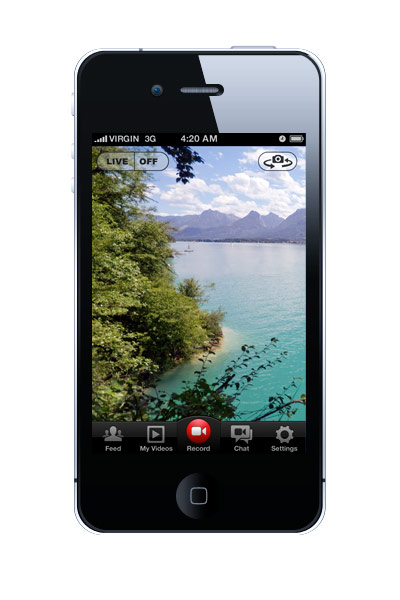
The popular option for video chat on Android handsets is now available and better than ever on the iPhone. Today, Qik officially launched its Qik Video Connect app for iPhone, iPod touch, and iPad 2 (although it isn’t completely optimized for the iPad).
Qik Video Connect offers two-way video calls and also lets you record video mail. Qik’s live broadcasting feature lets you post a live link to Facebook and Twitter, so friends can watch in real time as well…
The app includes all the basic features, such as, video chatting/streaming over 3G, 4G, or WiFi, in addition to recording in High-Definition (HD) video quality.
A new feature in the app includes the ability to leave a video voicemail. Users will be able to send or share video voicemail via text, email, Facebook and Twitter, to non-quick users as well.
The “plus” version of the app is available in the App Store for $2.99. The “plus” version includes seven real-time effects and filters, video editing tools, and support for high-def video. There will also be a free version of the app that excludes the effects for video chat, video editing, and HD recording. The free version is pending approval and will be available soon.


Via By: iphonedownloadblog.com

Is Apple Intentionally Handicapping Web Apps?

Whether you love them or hate them, no one can deny the success Apple has had with its iOS devices and the App Store. Although they are selling these products in record numbers, many still refuse to buy in, due to multiple factors. The omission of Flash support, a technology used in many popular websites, is the first one that comes to mind.
But it doesn’t stop there. Apple has also been attacked on its strict App Store policies, denying applications for odd and unclear reasons. In fact, their unyielding control over their iDevices, is what leads many people to jailbreak
Well it looks like Apple is at it again. According to The Next Web, Apple might be limiting the speeds of web-based applications in their latest version of iOS 4.3. Developers are reporting that web apps, launched from an iDevice home screen, load much slower than when opened within Safari.
Web-based applications get a fair amount of love from Apple. The new AirPlay enhancementin iOS 4.3 allows them to stream audio and video content to an Apple TV. A web app can also be bookmarked and saved as an icon on an iOS home screen, making it look like a normal application.
With web apps loading significantly slower when launched from a home screen icon, it’s apparent Apple’s kindness is running out. These apps are showing no signs of the new Nitro Javascript engine we keep hearing about.
Why would Steve Jobs and company want people to think web apps are lower in quality than apps from their App Store? It’s pretty obvious. The more downloads and purchases that run through iTunes and the App Store means more revenue for the Cupertino giant.
Apple has declined to comment on the matter, but a casual stroll through their user forums will show this is a very real issue.
Will Apple fix this? Or are they one step closer to totalitarian rule over their products?


Via By: iphonedownloadblog.com

Times Square Video Billboards Hacked Using an iPhone?

The iPhone has been known for many useful things, but hacking Times Square billboards is a first.
A video has been posted on YouTube showing a man who uses his iPhone to hijack video billboards in Times Square. CBS news has commented on the video, claiming that they would assume it’s fake, but if it’s in fact real, they’ll be the first to purchase one…
“First off I’m going to state that I do not know if this is in fact real or fake. My gut is telling me it has to be fake… but if it’s real, I’m so going to buy one!
Here’s some words from the hacker on how he did it:
The way it works is pretty simple: plug in my transmitter into the iphone 4 and play back any video clip. you can play it through the ipod feature or through the camera roll. the transmitter instantly sends the video signal to the video repeater and the video repeater overrides any video screen that it’s being held next to. it doesn’t matter what shape or size the hacked screen is because the hack video will simply keep its correct dimensions and the rest of the hacked space will stay black.
i chose times square for my demo because it has lots of video screens to try it on. it is also one of the most monitored and secured areas in new york city and that made it that much more fun :) . you can see in my video that the repeater is pretty powerful but the signal is not very stable yet. i’m working on that. i will post a new video later this week explaining how i made this prototype.
Honestly, looks like complete BS to me. I highly doubt it was that easy to hack the billboards. Check out the video yourself below!

\

What do you think? Real or fake?


Via By: iphonedownloadblog.com

Daylight Savings Time Glitch Has Caused Much Grief for iPhone Owners

Daylight Savings Time has stuck again! A bug that reportedly caused the iPhone’s internal clock to not adjust properly to Daylight Savings Time has resurfaced with the recent time change.
Two days ago, we told you about a glitch with the iPhone’s clock not changing to the correct time for the DST “spring forward” of one hour. At the time of the report, no one was really sure to what extent this clock glitch was affecting users.
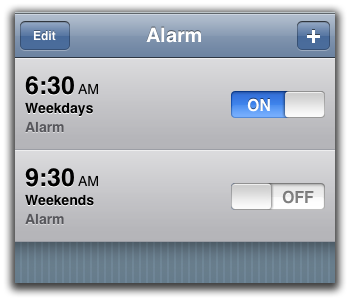
Complaints seemed to not be as wide spread as the last time there was a DST issue, but many people were (and still are) experiencing problems with their alarm not going off at the right time…
Apple’s clock in iOS seems to be pretty broken. The iPhone’s clock and alarm app have now malfunctioned on the last two DST time changes. The alarm app also broke on January 1stof this year.
There’s still no way of objectifying the symptoms of this clock glitch, and many of you have voiced various types of complaints. We’ve seen issues with the iPhone’s clock on various carriers, including Rogers and other carriers outside of the U.S.
The glitch seems to be an iOS issue, as the problem is also not restricted to a certain generation of the iPhone.
It seems that most iPhones with this clock glitch have reset themselves to the proper time, but some users have reported that their alarm is still going off an hour earlier than it’s supposed to.
If there still seems to be something wrong with your iPhone’s clock and/or alarm, we’ve heard several methods for possible fixes. A simple restart should reset the clock, and you can also try switching the Time and Date settings from Automatic.
We’ve also heard that switching Airplane Mode on and off could fix the glitch. When the iPhone goes into Airplane Mode, the device’s radio transmitters are turned off. When Airplane Mode is turned back off, the iPhone will get a refreshed carrier update. That refresh should reset the clock to the appropriate time.
Apple has not released an official statement on this bug.
What is your experience with this recent glitch? Was your iPhone affected?


Via By: iphonedownloadblog.com

Google Search for iPhone Premiers Today in the App Store

Those of you who read iDB regularly, know how particular I am when it comes to my apps. I like a clean and tidy home screen. One application that seemed to always find a spot on my iPhone, was Google Mobile. It was simple, loaded quickly, and the voice search option was extremely accurate. It was my go-to app for quick look ups.
Today, Google Mobile was replaced by Google Search. The name is different, but the concept is not too far off from its predecessor. It has an accurate voice search function, and uses your location to return local results. Although very similar, there are some notable differences in the new search app…


The updated interface is the first thing you’ll notice. When you first launch the app, you are greeted with a nice tutorial. This will help you get better acquainted with the new UI. One of the things you’ll want to take note of, are the new multitouch gestures, as they make navigating the search app much faster.
One of my favorite enhancements was the support for fast switch. One of my only complaints with Google Mobile, was you had to start your search over, if you tried to multitask. Google Search will let you switch in and out of the application, without ever losing your place.
Google Goggles is also integrated, which you may or may not find useful. For those that haven’t played with it, Google Goggles allows you to snap a picture of something, and perform a web search based on your photo.
Overall this was a nice update. If you hadn’t tried using a Google app to do voice searches before, give this a whirl. The voice recognition is spot on, and it makes looking up phone numbers completely painless. You can even dial the number from right inside the app. Goodbye 411 calls!
What do you think of Google search? Do you use a different search application?


Via By: iphonedownloadblog.com

Search This Blog

Popular Posts