$1 Donations make us growth

Thursday, March 1, 2012

Ads are coming to Twitter for iPhone


Two years ago, Twitter introduced ’Promoted Products’, which are essentially ways for companies to advertise across the Twitter platform and gives Twitter the ability to make revenue. Companies can sign-up for Promoted Accounts, Tweets, and Trends as a way to bring notice to their service.
Today, Twitter announced that their iPhone app will start featuring Promoted Products. The advertising service was included in the latest Twitter for iOS update released last week. The Twitter crew will start sending out more Promoted Tweets, Accounts, and Trends to mobile devices over the next few weeks…
With our most recent app updates, Promoted Accounts are now in Twitter for iPhone and Twitter for Android. And in the coming weeks, we’ll begin introducing Promoted Tweets in the timeline on these mobile apps. Initially, a small number of users may see Promoted Tweets near the top of their timelines from brands they already follow. This will help ensure that people see important Tweets from the brands they care about.

Twitter’s Promoted Tweets will appear in the timeline, like any other tweet from someone you’re following. As you can see in the image above, it looks like a regular tweet and isn’t obtrusive.  As for Promoted Accounts, Twitter says these recommendations will be found in the Who to Follow section of the app.
Twitter for iPad will not feature ads for the time being, most likely because it hasn’t been gifted the recent Twitter update. On the iPhone, Twitter released an update that brought back swipe shortcuts and the ability to copy text to its iPhone app. It also featured better Direct Message handling and improved image quality. The update should roll out for the iPad soon.
You can’t blame Twitter for trying to find ways to make money. Ads being placed in apps will definitely show results, seeing as many users browse Twitter constantly on their iPhone.
Are you okay with Twitter placing ads in its mobile apps?


[Via: idownloadblogThe Next Web] 

Wednesday, February 29, 2012

iPad 3 thicker than iPad2 0.81mm [Photo]


Wow, there has been an onslaught of iPad 3 news this morning. Not only did Apple send out media invitations for what is expected to be its iPad 3 event, but we’ve also heard multiple reports on the new tablet.
The latest news comes from Apple.pro — a Chinese blog known for leaking information on upcoming Apple products. The site points to new photos of what it claims to be the rear shell of an iPad 3, along with some interesting details…
All of the evidence we’ve seen up to this point regarding what Apple’s new tablet will look like has pointed to two things. One, the iPad 3 will bear a striking resemblance to its predecessor. And two, it will be a tad thicker than the previous version.
These new photos echo the two theories, depicting iPad 2 and iPad 3 shells being measured. As you can see, the iPad 3, which measures in at 9.50mm, comes in 0.81mm thicker than the 8.69mm iPad 2. The consensus seems to be, however, that the difference will be almost undetectable to most users.
You might be wondering why, when the rest of the industry is trying to make their products thinner, Apple chose to make the iPad 3 thicker. The answer is simple — components. Apple obviously needed the extra room to house the larger processor, sharper display, and LTE radios.
Want to see the real thing for yourself? Make sure you tune in to #BlogAboutEverything on March 7th for complete iPad 3 event coverage.
Note: the image wrongly shows 86.9mm and 95.0mm, which is incorrect. Real size is 8.69mm and 9.5mm. We didn’t edit the image because this is not our image.


Apple unveiling iPad 3 on 7th March in San Francisco


The Verge just reported (and The Loop concurred) that Apple sent invites for that iPad 3 introduction you have waited for, likely with tingling anticipation. The presser is March 7 at the Yerba Buena Center for the Arts in San Francisco at 10 a.m. PST. The three app icons featured on the shot hold subtle clues: The Maps icon shows an infinite loop (it is the “who,” as Apple’s address is 1 Infinite Loop); the Calendar displays Wednesday, March 7 (the “when”); and, the “what” is conveyed through the self-explanatory Keynote app icon.
This news officially exposed CNBC’s report calling for a March unveiling in New York City as grossly inaccurate. True to Apple’s form, the invite teases with an iPad close-up shot featuring a finger touching upon the Calendar icon. The tagline reads:
"We have something you really have to see. And touch."
Both the wording (“something you really have to see”) and the image (can you discern the individual pixels on iPad’s display?) would appear to confirm the long-standing rumors of an ultra high-resolution Retina Display (2048-by-1536 pixels), reportedly the key selling point of the device. Also interesting is lack of the physical home button—assuming the close-up was meant to depict iPad 3 in portrait orientation. Some fans also took to Twitter to note how Apple unmistakably sent out invites just as Eric Schmidt was delivering his Google keynote talk at Mobile World Congress in Barcelona, Spain.
Our sources expect at least three next-generation iPads possibly running a dual-core A5X chip sporting an improved graphics engine. Per Apple’s naming convention, the A5X seems to be an alleged evolution of iPad 2′s A5 processor and not a major upgrade the rumored quad-core A6 chip is expected to be. Today’s announcement also reinforces claims of near-immediate availability based on sightings of iPad shipments landing at ports of multiple countries around the world.
9to5Mac will provide live coverage of the announcements as they happen. 


[Via: 9to5mac]

Saurik explains why Cydia must reload packages


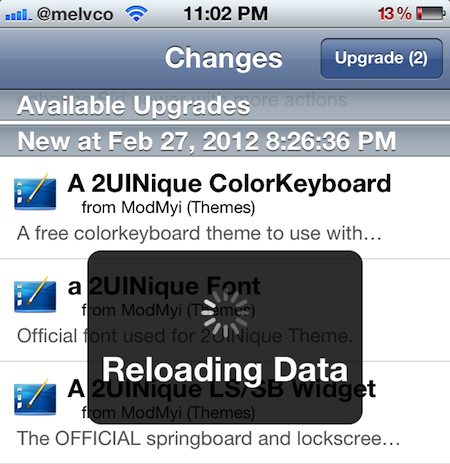
Have you ever wondered why Cydia has to perform the ‘loading packages’ step every time you open it up? Well reddit user indochris609 did, and decided to take his question to the reddit jailbreak forum.
Dozens of users responded to the query, including Cydia’s creator, Saurik. And as usual, the hacker/developer’s explanation of the topic at hand is both interesting and informative…

“So, the “Reloading Data” step is something that can be made faster (and often is: new releases of Cydia often improve the performance of Reloading Data, and it is drastically improved when Apple releases new devices; on the new A5 CPU that step is almost pleasant).

However, the part where it is downloading packages from third party servers is a different story: Cydia, unlike the App Store (or almost any similar service), stores the entire package catalog locally. This is why it can (quite quickly, in fact) render an insanely long table with all packages in it that you can just fling your way through, while the App Store shows you 25 packages at a time with a slow “load more” button.

However, this means that it actually has to keep packages locally, and has to keep their records up to date. From a “cold start”, downloading the package catalog is something like three megabytes, compressed (totaled from BigBoss, ModMyi, and ZodTTD).”

Saurik goes on to explain that Cydia must download the package catalog on every load to ensure that users will automatically see all of the latest uploaded packages and updates. There is, however, a 15 minute window after Cydia performs this task where it won’t automatically download the catalog upon launch.
Saurik’s entire response to the aforementioned question is worth reading if you have the time. It’ll remind you why he’s one of the most recognized figures in the jailbreak community, and why Cydia is still the number one store for jailbreakers. 


[Via: idownlaodblog]

Tuesday, February 28, 2012

Siri Proxy servers Successfully


Tired of trying several paid Siri Proxy servers or free SiriPort.ru to port Siri on your iPhone and iPod touch? GreenRiver siriServer is a new easy & reliable solution for porting SIRI on iPhone 4, 3GS and iPod touch 4G. It is a Proxy Server that does not require any iPhone 4S authentication tokens and follows unique simple approach [100% legal].


GreenRiver siriServer uses GoogleSpeechAPI which takes input as the speech packets from the recorded by siriClients of your voice and then converts it to the speex codec and sends it to google for processing. After processing google sends what you said in plain text, the server relays the information back to siri on your iDevice. The complete process does not require iPhone 4S keys and no connection to Apple servers, which eliminates all the hassle.
siriServer free Siri proxy currently works with the iPhone 4, iPhone 3GS and iPod touch 4G running iOS 5. It does not support iPad 2 and first generation iPad, so iPad users please DON’T proceed with the process. 
Is Simple & Easy porting Siri on ur older iDevices by just DONATE to us and we will send to u the Tutorial & Proxy URL with (certificate) after Donations been Confirm.
Pls fill up ur email on [Purpose] when Donate. Co-corporation with GreenRiver siriServer. 


Search This Blog

Popular Posts